




Integrations
Raise a task when a customer leaves a voicemail
Have a customer support team member notified and assigned a follow up when a customer leaves you a voicemail.
This HubSpot workflow gives your support team an automatic prompt to follow up whenever a customer leaves a voicemail. Treat the steps below as a starting point: swap the task for a ticket, an internal notification, or anything else that fits the way your team works.
For a refresher on the properties Cradle writes into HubSpot, see List of Cradle properties.
Cradle trigger you'll use
- Details of Last Cradle Call
Build the workflow
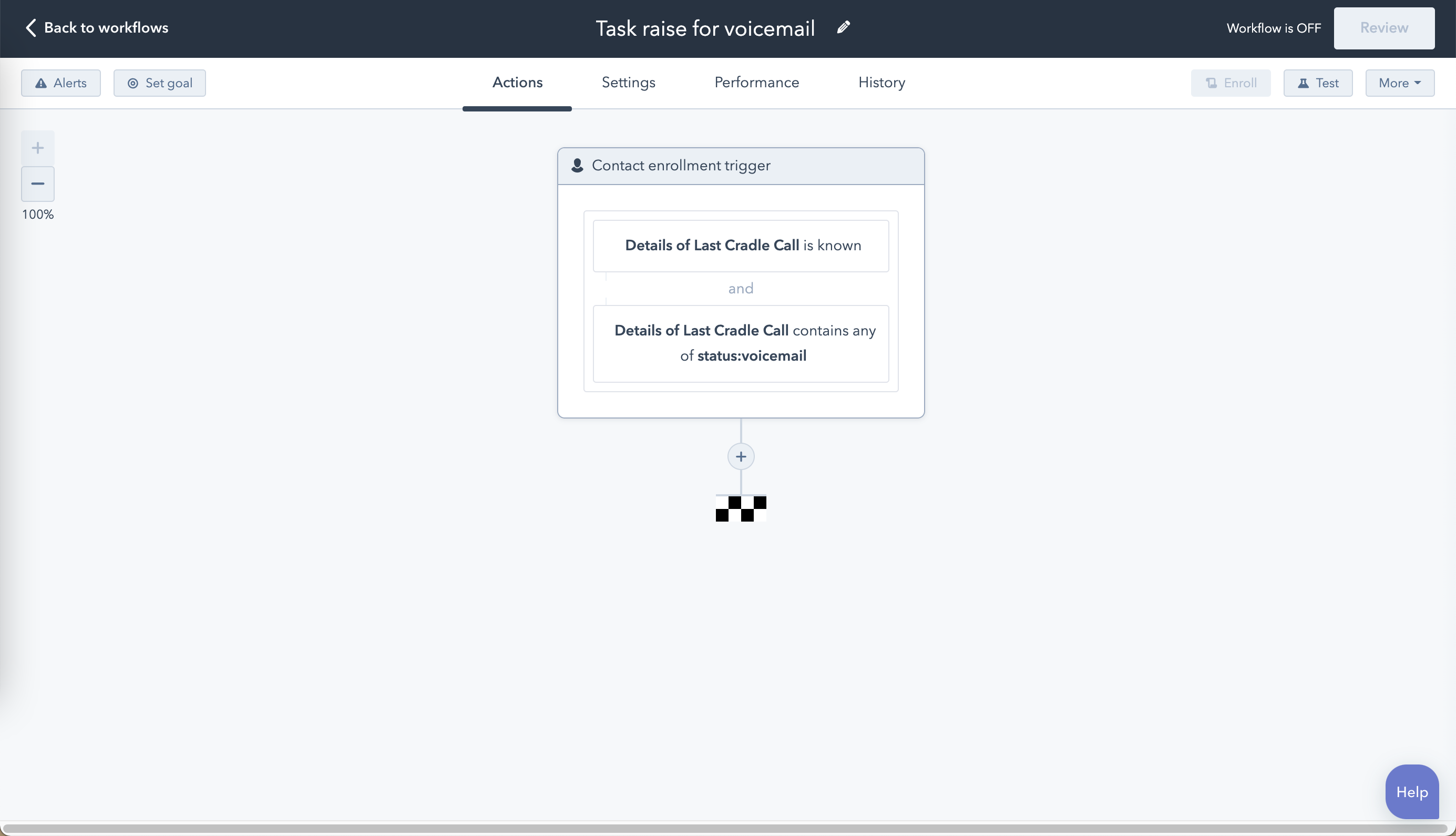
In HubSpot, go to Automation → Workflows → Create workflow → Contact-based.
Add two enrolment triggers (combined with AND):
- Details of Last Cradle Call is known
- Details of Last Cradle Call contains any of
status:voicemail
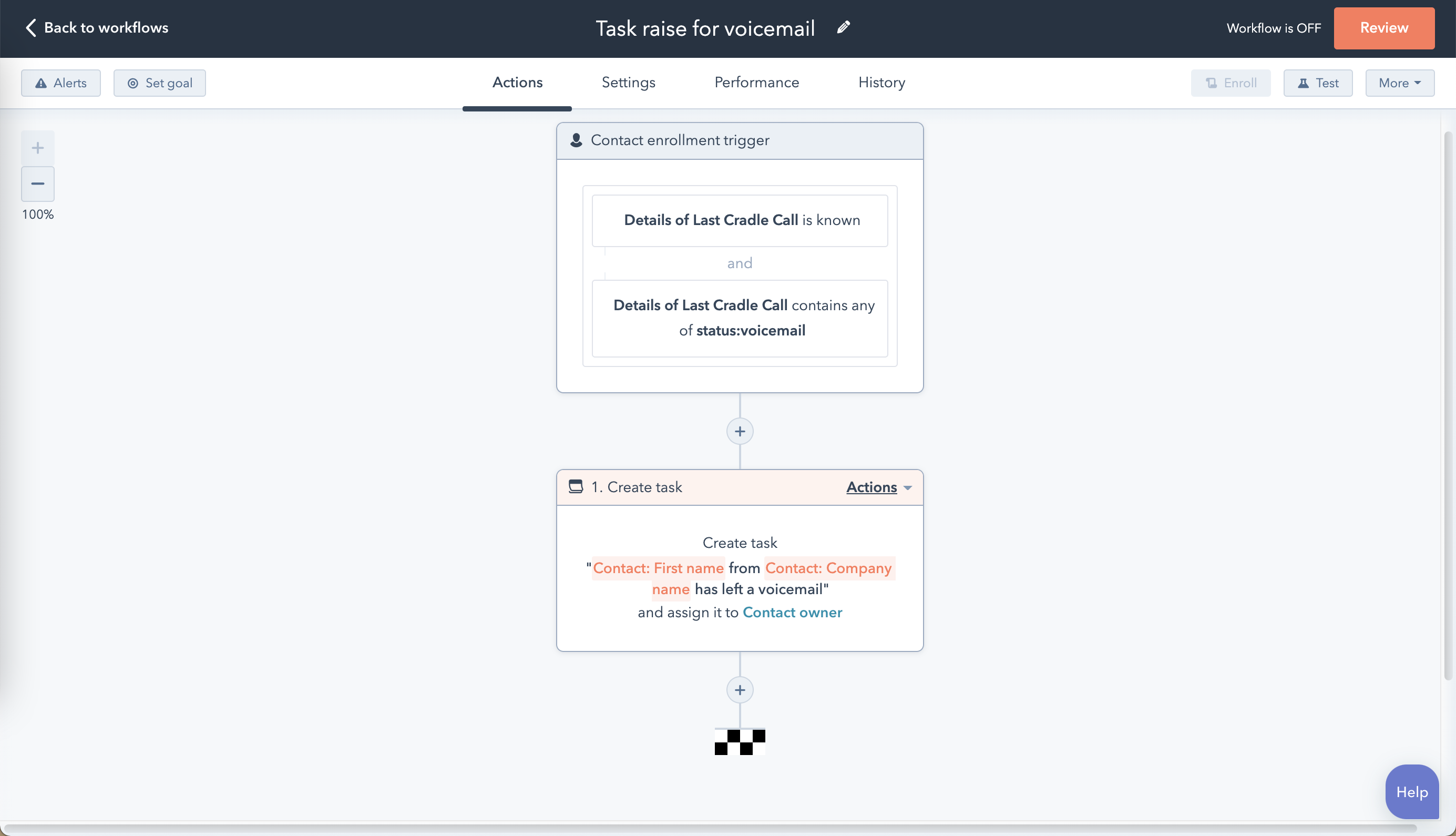
Choose your action
You can substitute whatever your support team needs here. The example below uses a Create task action assigned to the contact's owner.
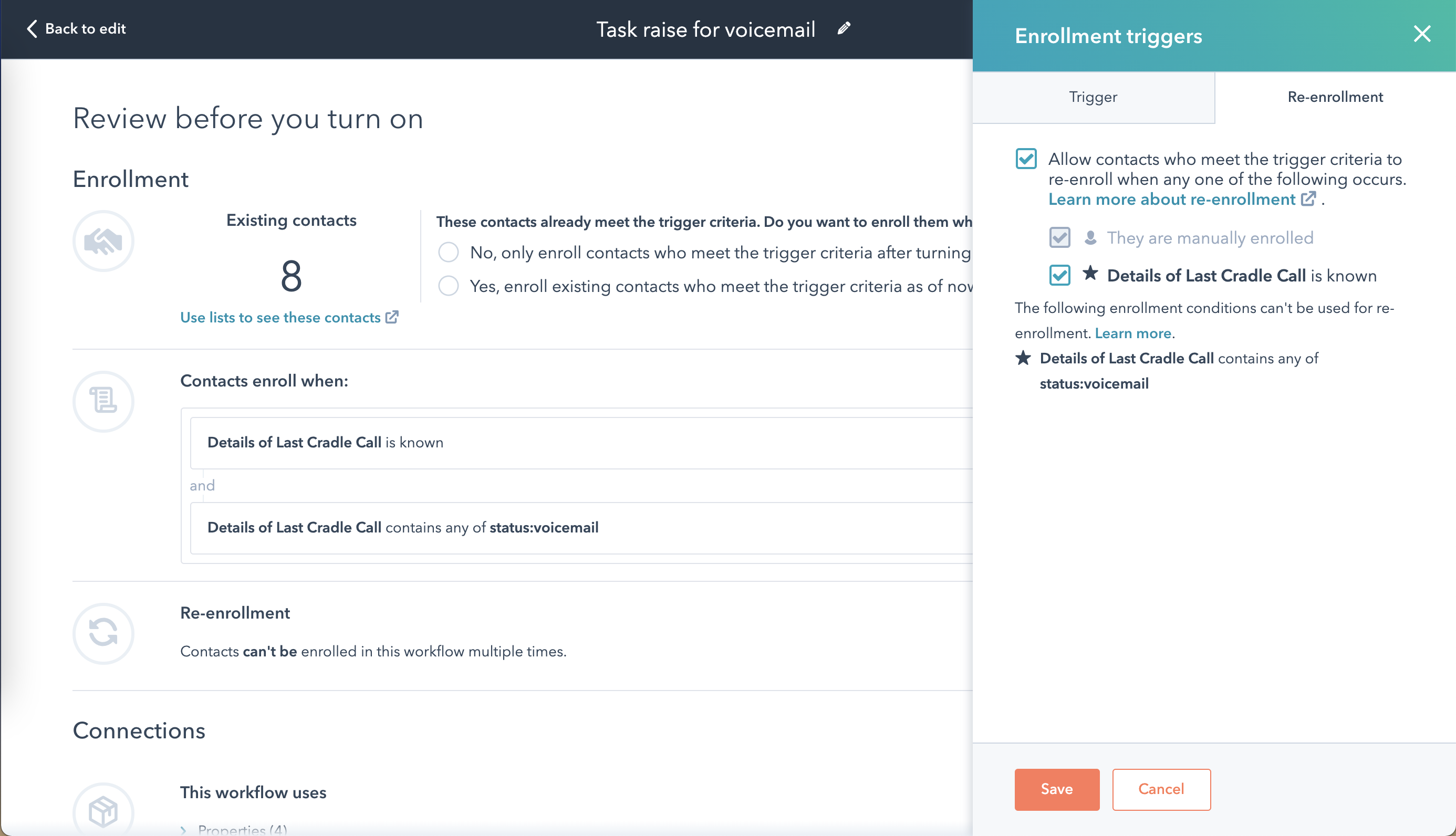
Allow re-enrolment
Contacts only enrol once unless you say otherwise. Click Review, open Re-enrolment, select Allow contacts who meet the trigger criteria to re-enrol when any one of the following occurs, and tick Details of Last Cradle Call is known. Repeat voicemails will now each generate a fresh task.
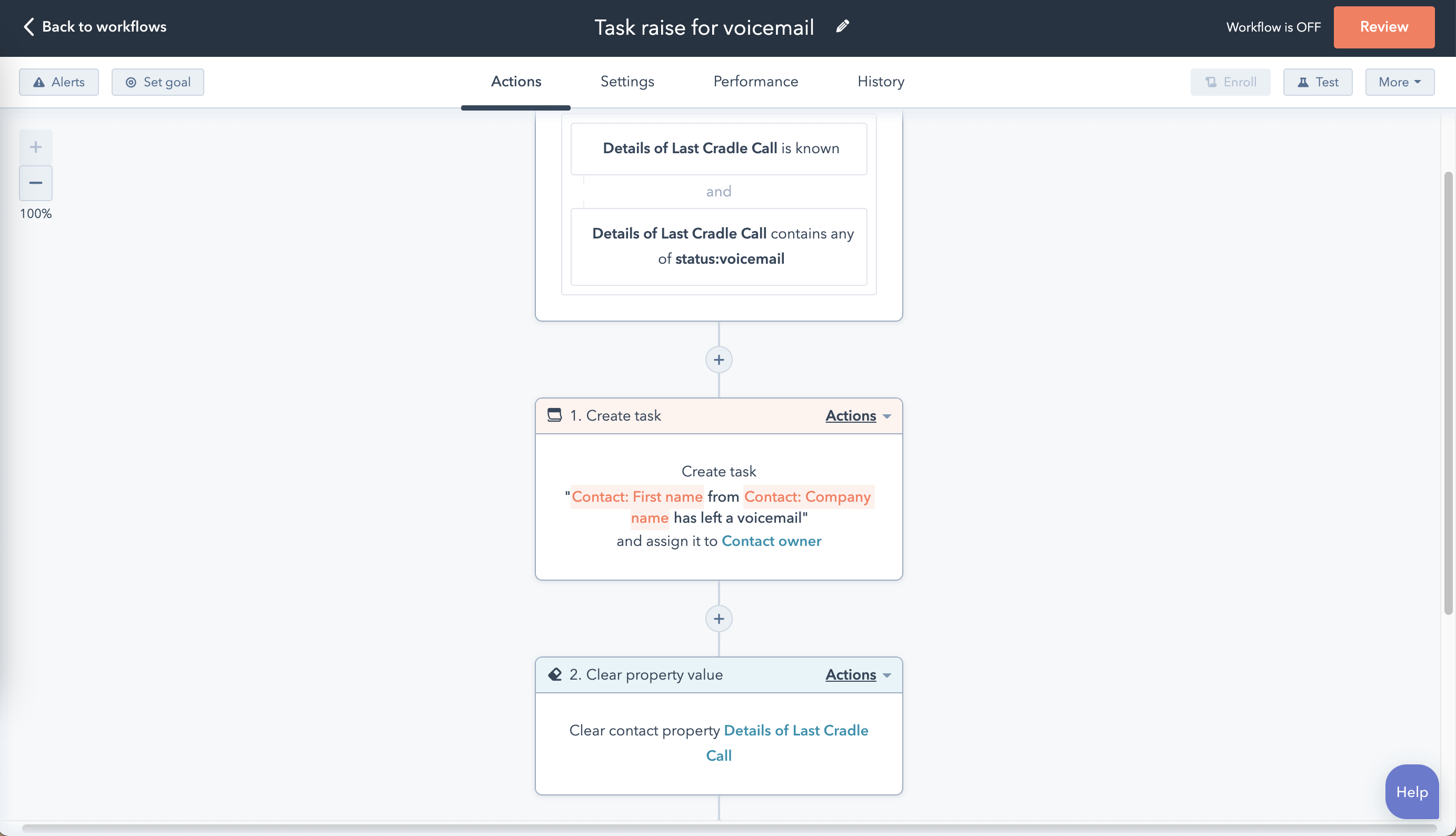
Reset the property at the end
End the workflow with a Set property value action that clears the Details of Last Cradle Call contact property. Without this step, contacts who leave a second voicemail before you've called them back won't re-enrol.
Save and turn the workflow on, then run a test by leaving yourself a voicemail to confirm the task appears against the right owner.