



Desktop app
Desktop App Default Country Code
Set a default country code in the desktop app
Legacy Help Docs
We're in the process of refreshing our help docs. This flag will be removed when this article has been updated.
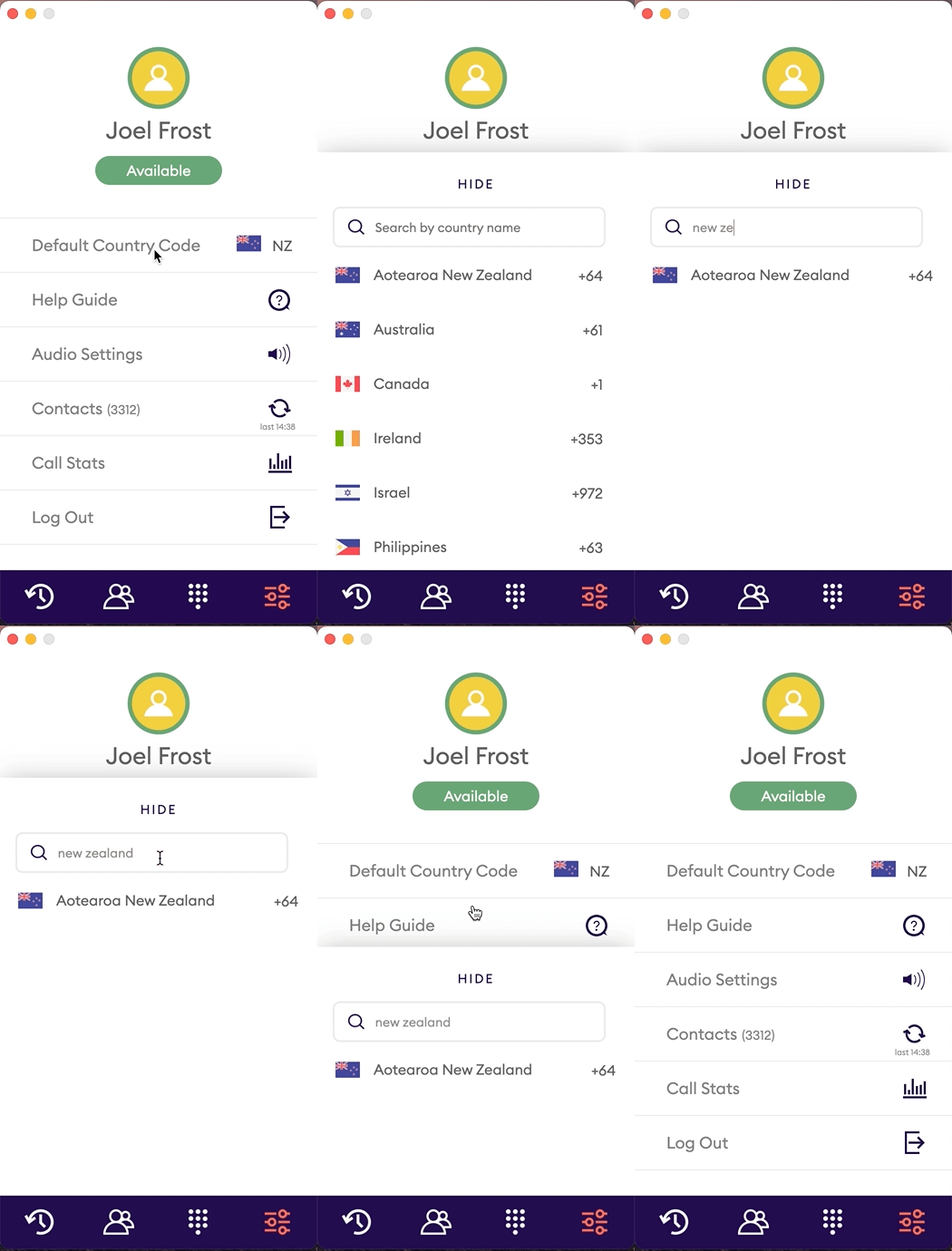
The country code you choose will automatically be added to the front of numbers that you dial without a country code. For example, if you choose New Zealand you can dial 09 887 9333 and Cradle will automatically remove the 0 and add the +64 onto the front of the number for you. If you want to dial another country, remember to add the country code to the number when you dial it.
- Click on the gear icon
- Click on Default Country Code
- Search for the country or scroll down
- Click on the country you wish to select