




Integrations
Support callback booking
Have your customers leave their details for a callback when you're busy on the phone with other customers.
Legacy Help Docs
This HubSpot workflow raises a task for the contact owner whenever a customer leaves a voicemail, so support staff get an automatic reminder to call them back. Pair it with a clear voicemail greeting in Cradle asking callers to leave their details, and you've got a lightweight callback booking system.
For a refresher on the properties Cradle writes into HubSpot, see List of Cradle properties.
Cradle trigger you'll use
- Details of Last Cradle Call
Build the workflow
In HubSpot, go to Automation → Workflows → Create workflow → Contact-based.
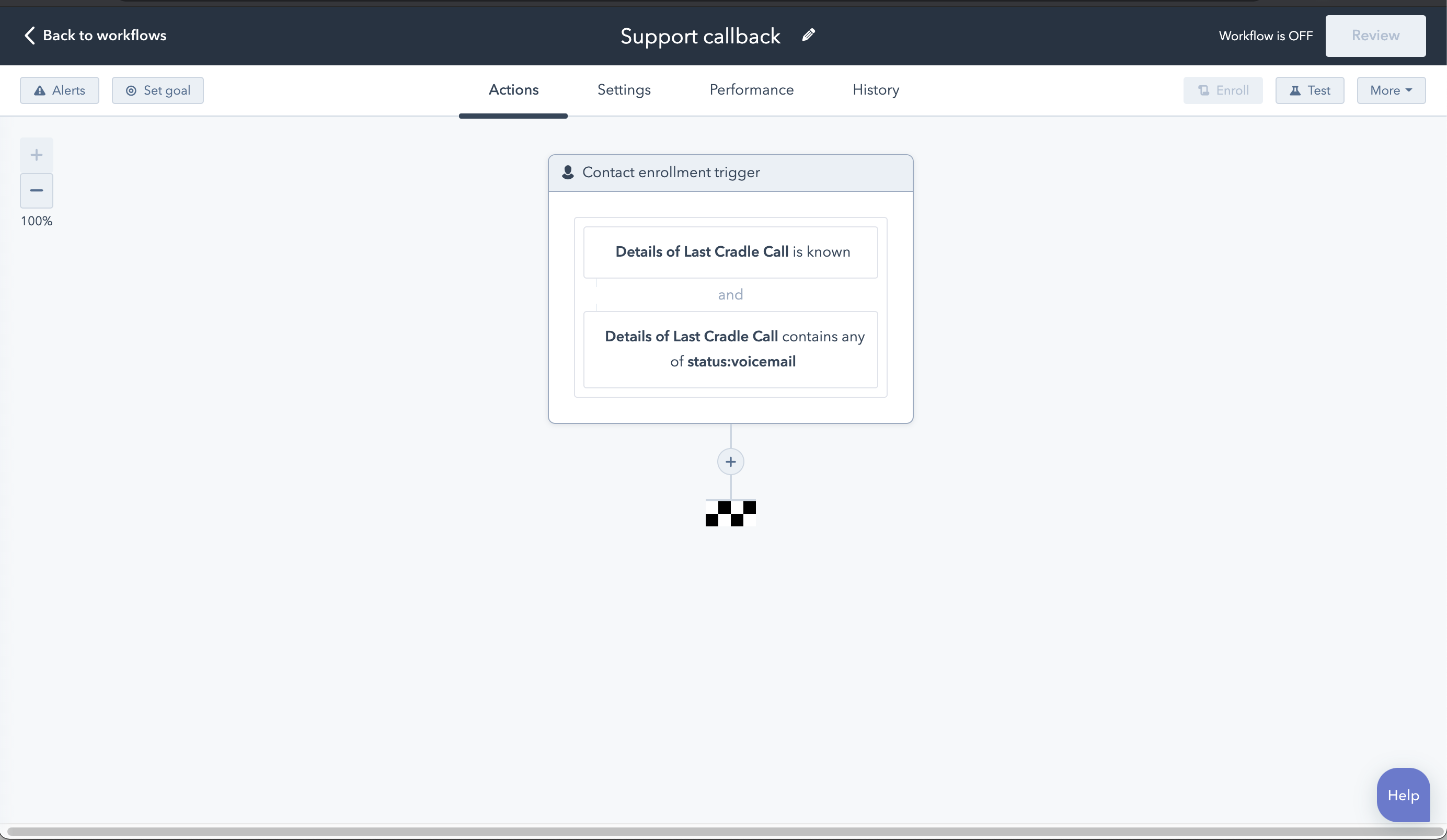
Add two enrolment triggers (combined with AND):
- Details of Last Cradle Call is known
- Details of Last Cradle Call contains any of
status:voicemail
Add the callback task
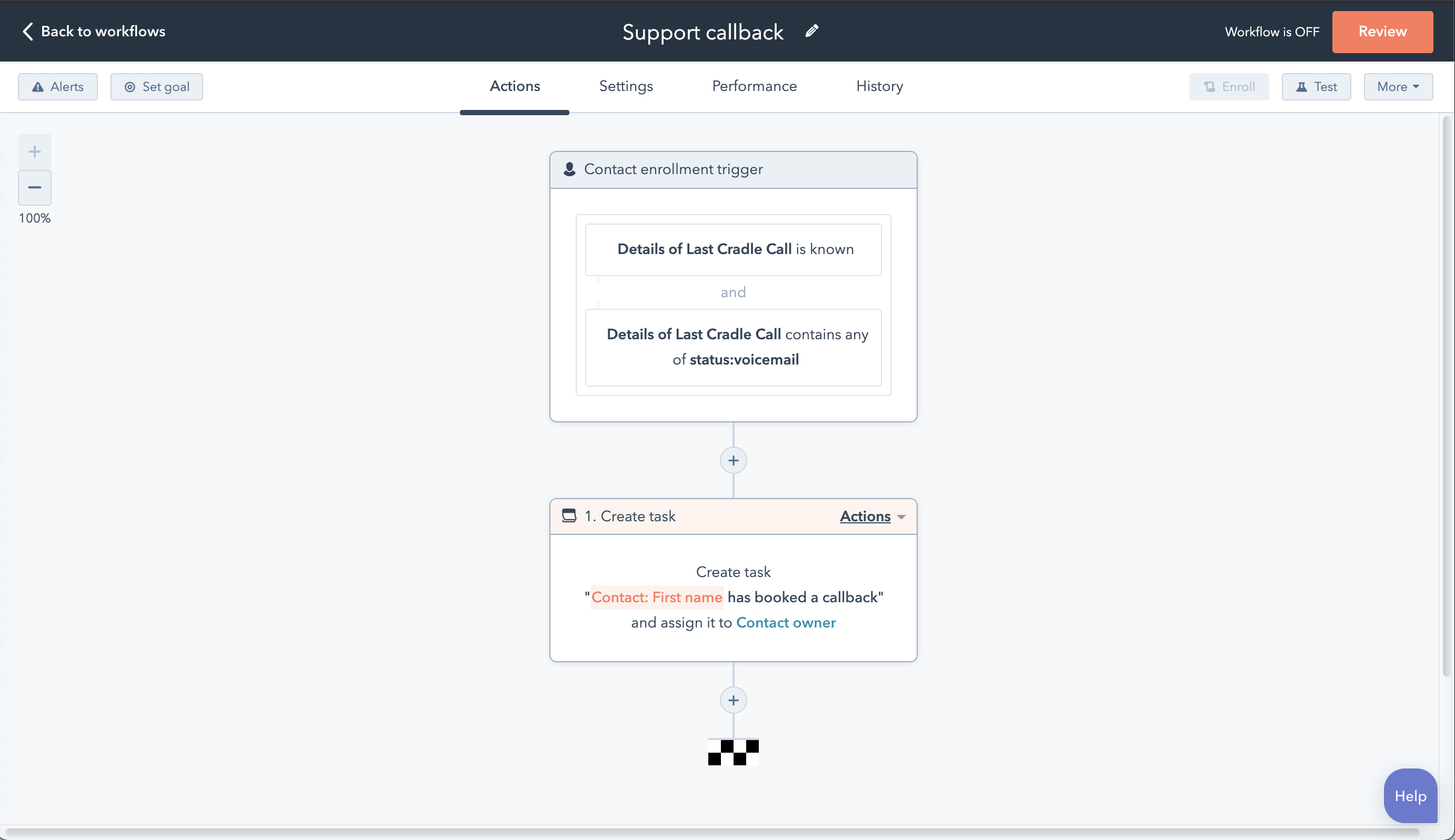
Add a Create task action. Set the task title to something like "Call back [Contact name]", assign it to the contact owner, and give it a due date that fits your team's SLA.
Allow re-enrolment
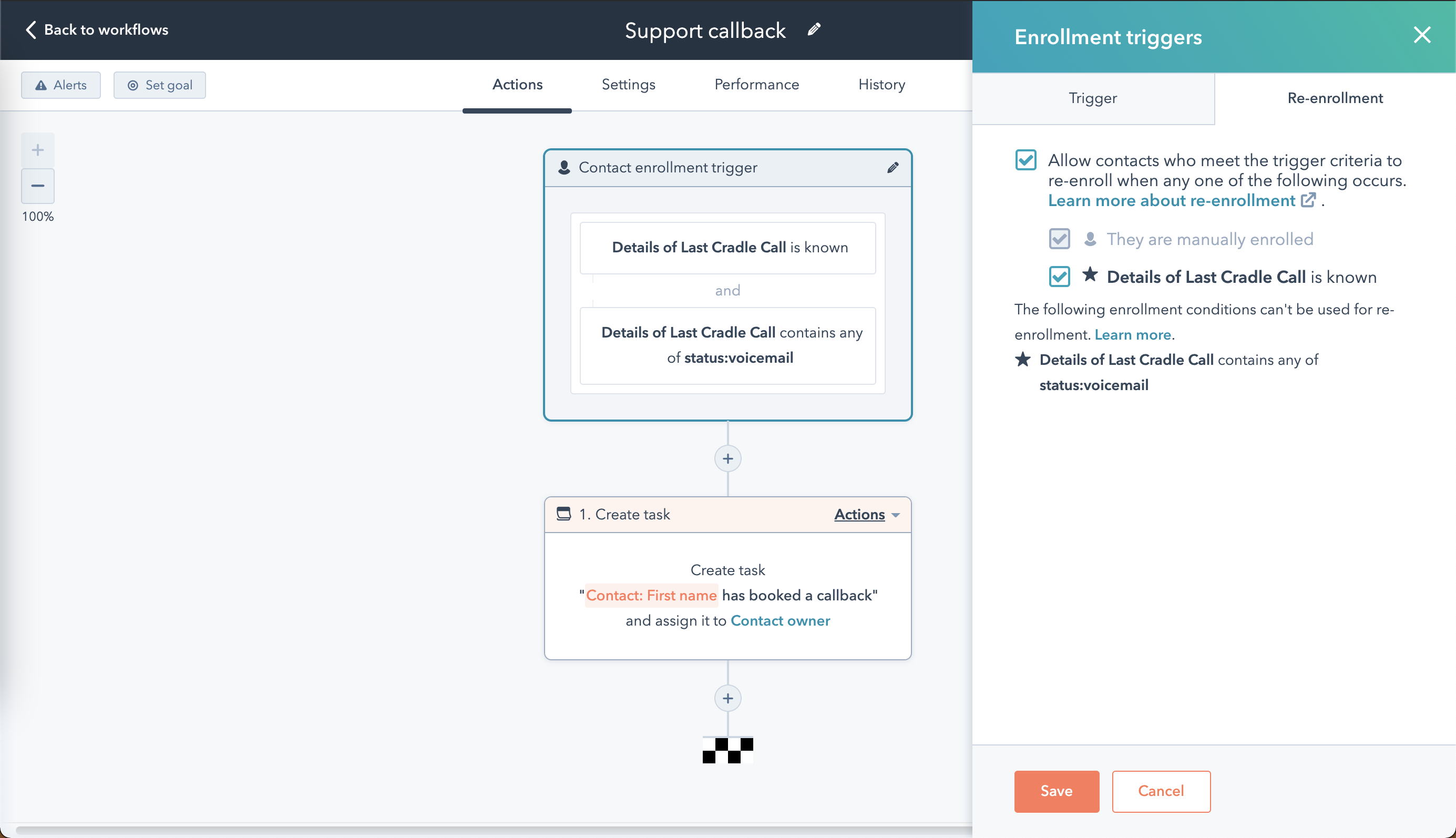
By default, a contact only goes through a workflow once. To make sure repeat callers trigger another task, click Review in the top right of the workflow editor, then open the** Re-enrolment** section. Select Allow contacts who meet the trigger criteria to re-enrol when any one of the following occurs, then tick the box next to* Details of Last Cradle Call is known*.
Reset the property at the end
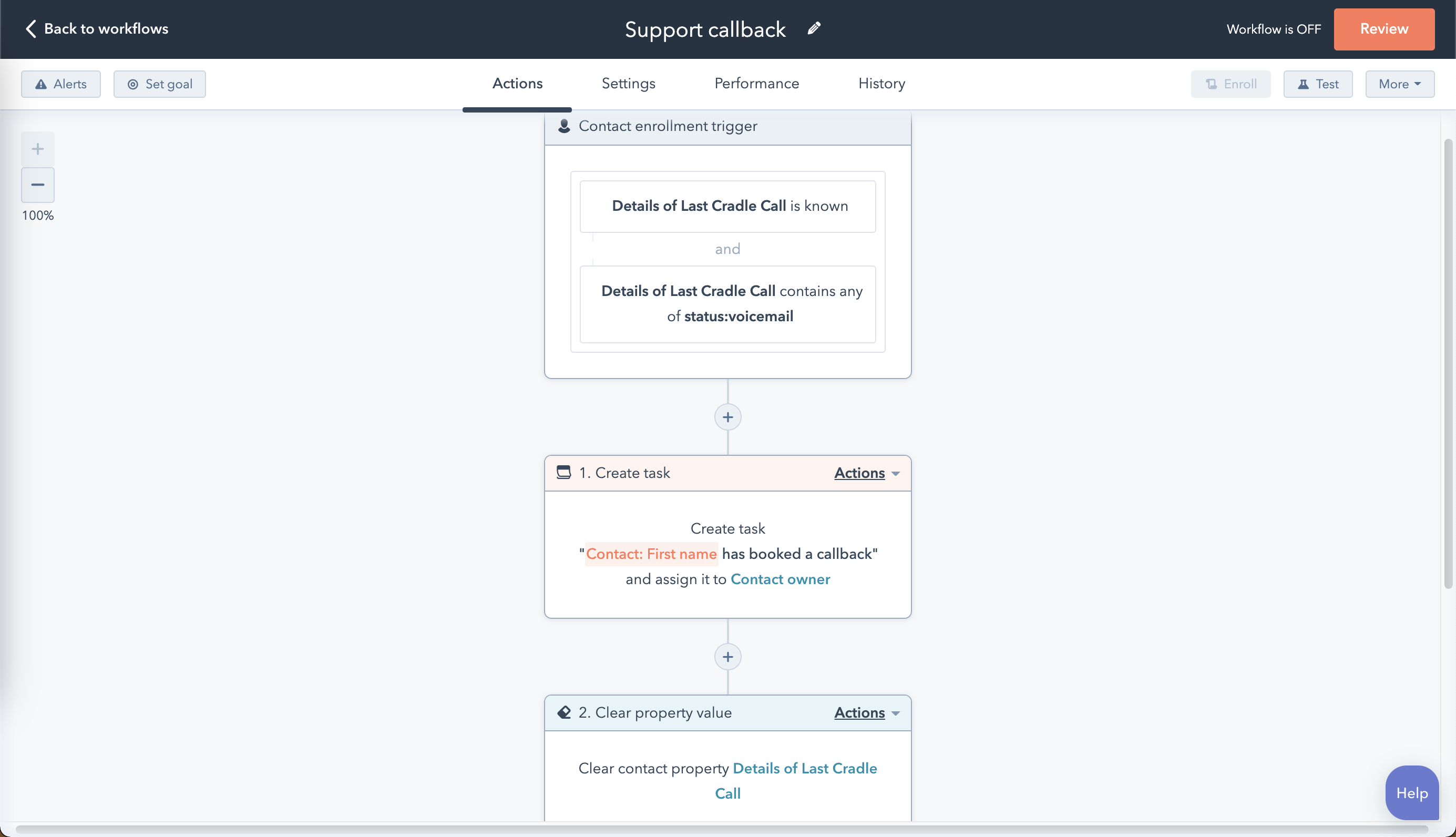
Finish the workflow with a Set property value action that clears the Details of Last Cradle Call contact property. Without this step, a contact won't be re-enrolled if they leave a second voicemail before the first task is closed.
Save the workflow and run a quick test from your own phone to confirm the task lands with the right owner.