




Integrations
Raise a task when a customer leaves a voicemail
Have a customer support team member notified and assigned a follow up when a customer leaves you a voicemail.
Legacy Help Docs
This HubSpot workflow gives your support team an automatic prompt to follow up whenever a customer leaves a voicemail. Treat the steps below as a starting point: swap the task for a ticket, an internal notification, or anything else that fits the way your team works.
For a refresher on the properties Cradle writes into HubSpot, see List of Cradle properties.
Cradle trigger you'll use
- Details of Last Cradle Call
Build the workflow
In HubSpot, go to Automation → Workflows → Create workflow → Contact-based.
Add two enrolment triggers (combined with AND):
- Details of Last Cradle Call is known
- Details of Last Cradle Call contains any of
status:voicemail
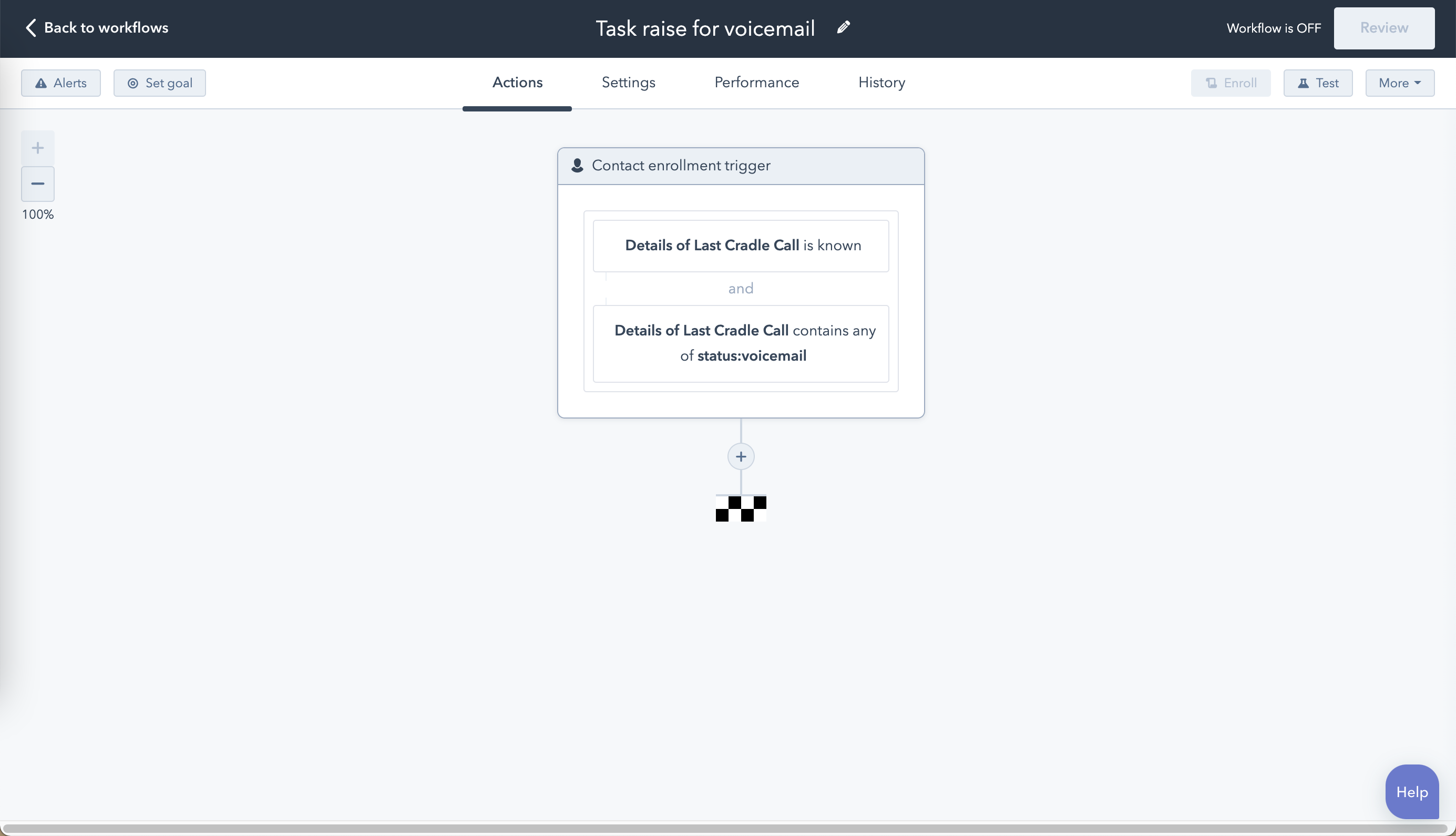
Choose your action
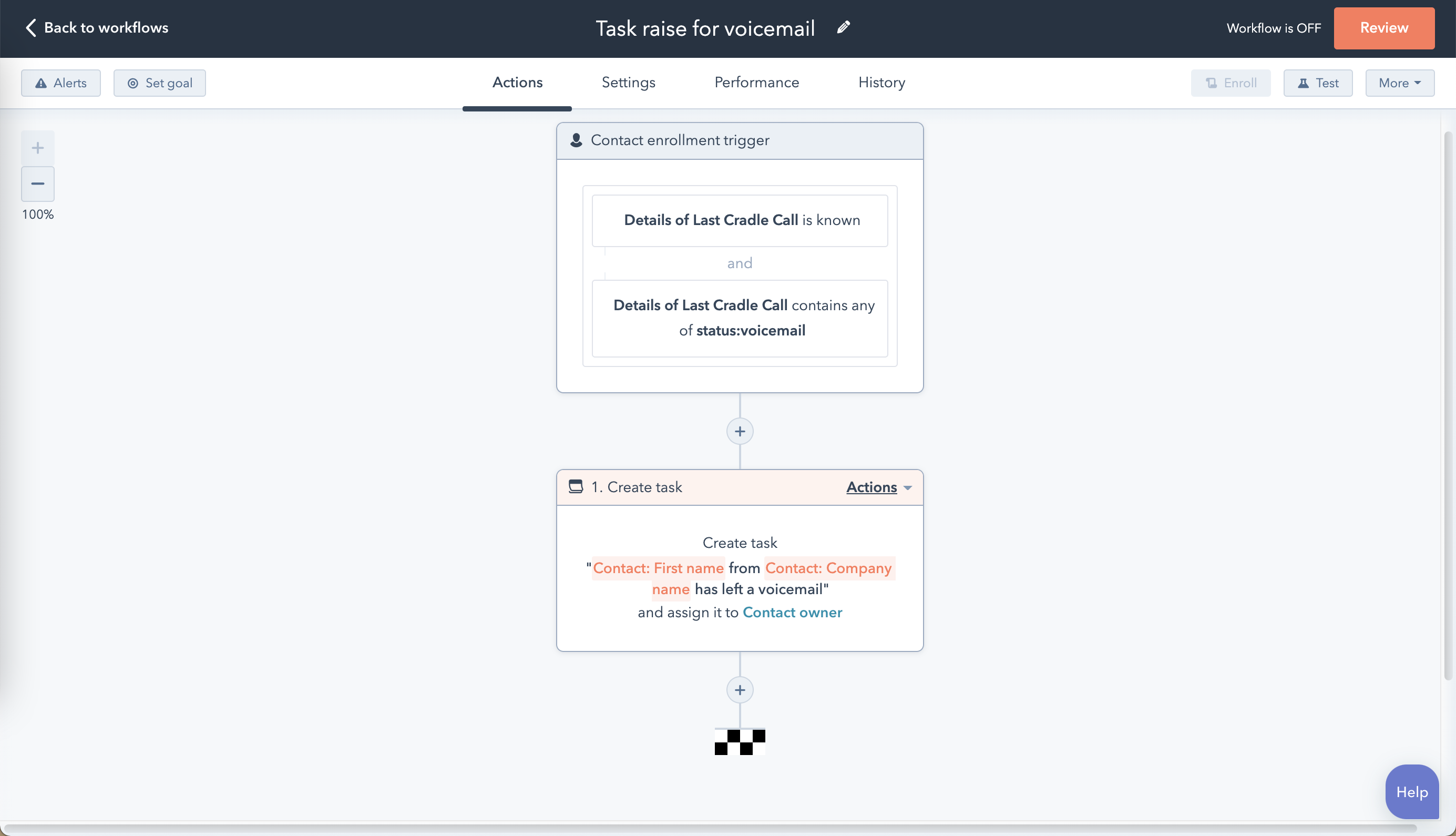
You can substitute whatever your support team needs here. The example below uses a Create task action assigned to the contact's owner.
Allow re-enrolment
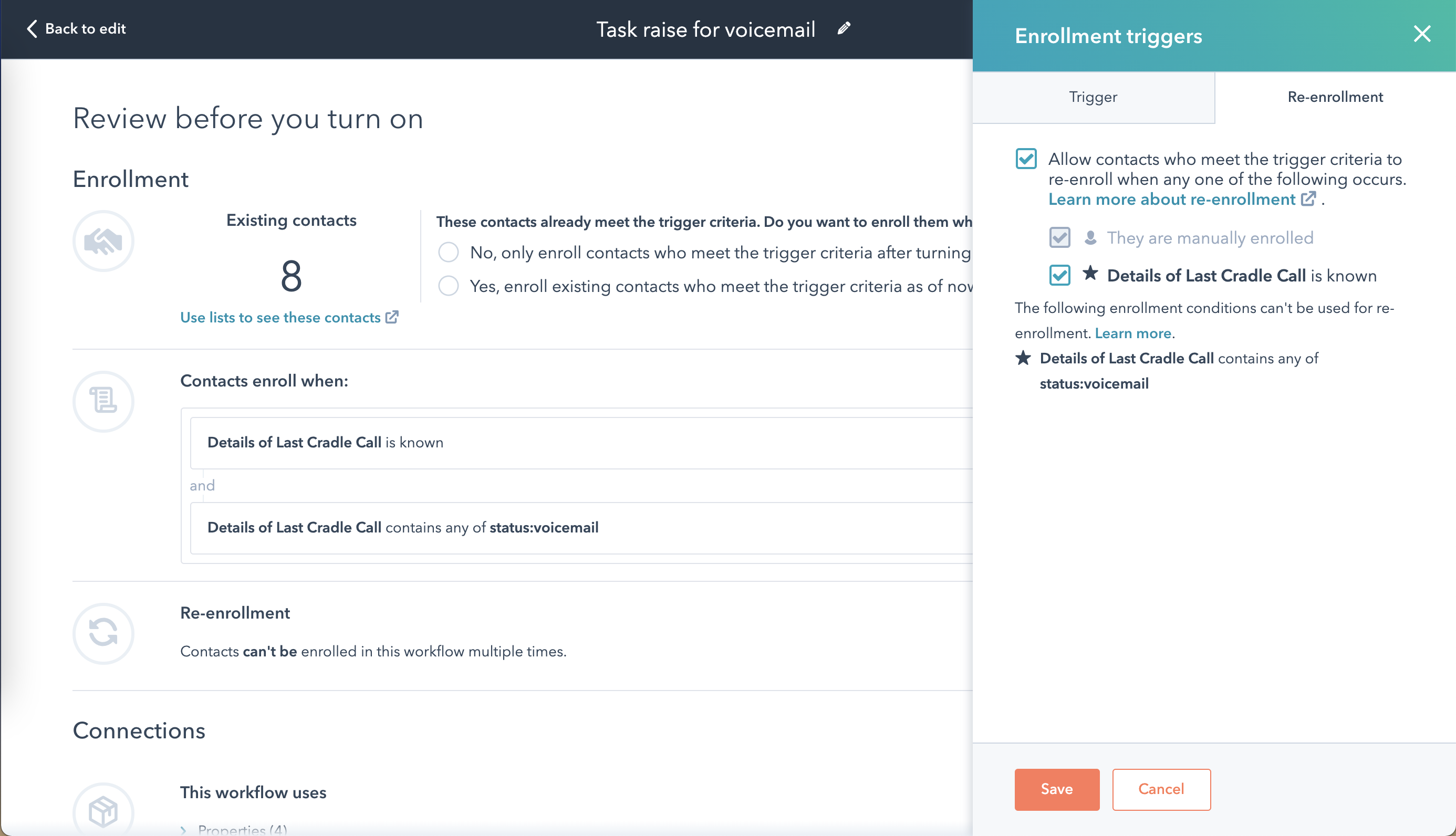
Contacts only enrol once unless you say otherwise. Click Review, open** Re-enrolment**, select Allow contacts who meet the trigger criteria to re-enrol when any one of the following occurs, and tick* Details of Last Cradle Call is known*. Repeat voicemails will now each generate a fresh task.
Reset the property at the end
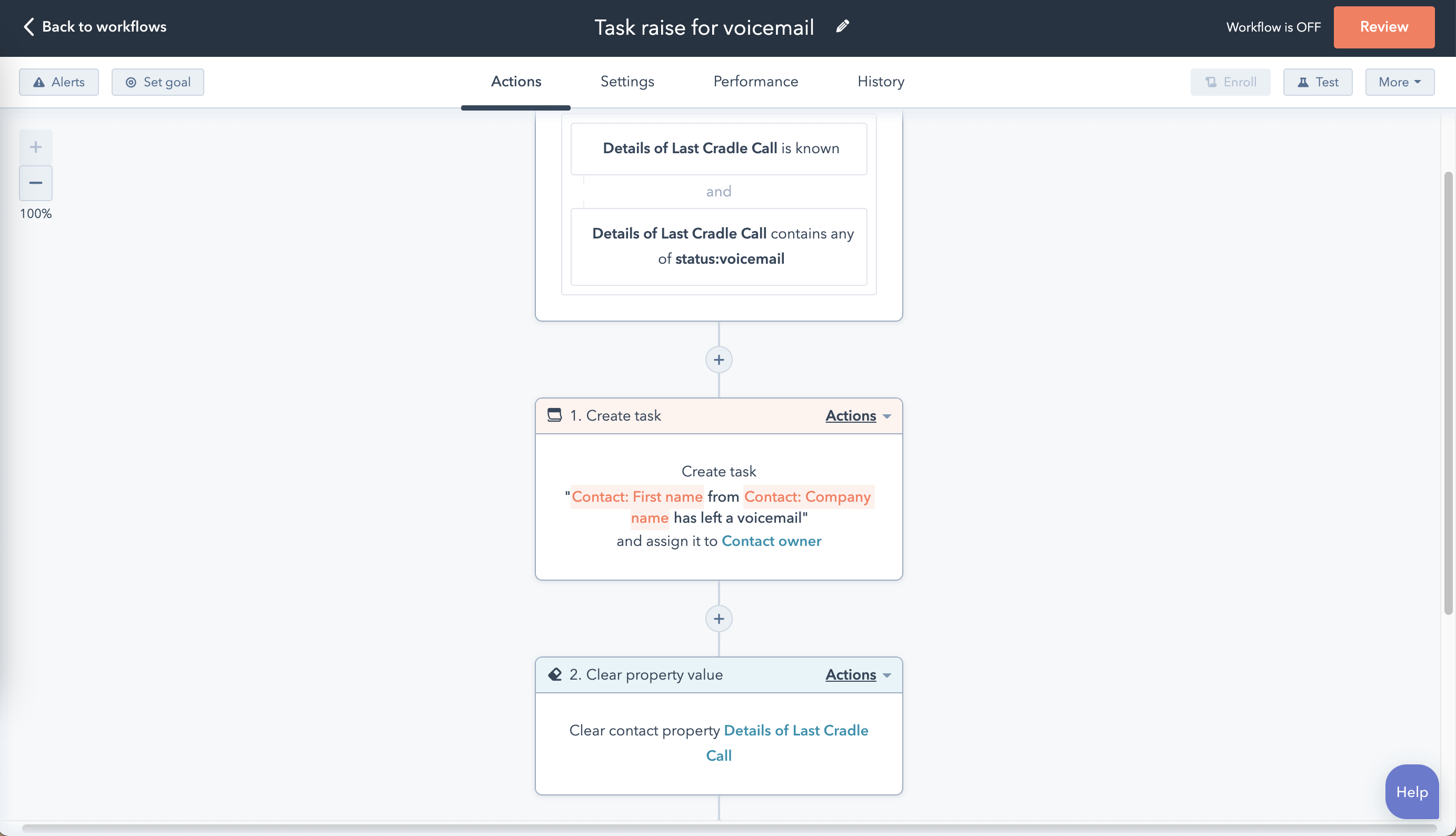
End the workflow with a Set property value action that clears the Details of Last Cradle Call contact property. Without this step, contacts who leave a second voicemail before you've called them back won't re-enrol.
Save and turn the workflow on, then run a test by leaving yourself a voicemail to confirm the task appears against the right owner.